Subnets
Instead of specifying a single IP (as with a Virtual Asset), you can make a whole network range available by configuring a Subnet.
A Subnet requires a Linux or Windows asset running the XTNA-agent as the gateway asset to route traffic.
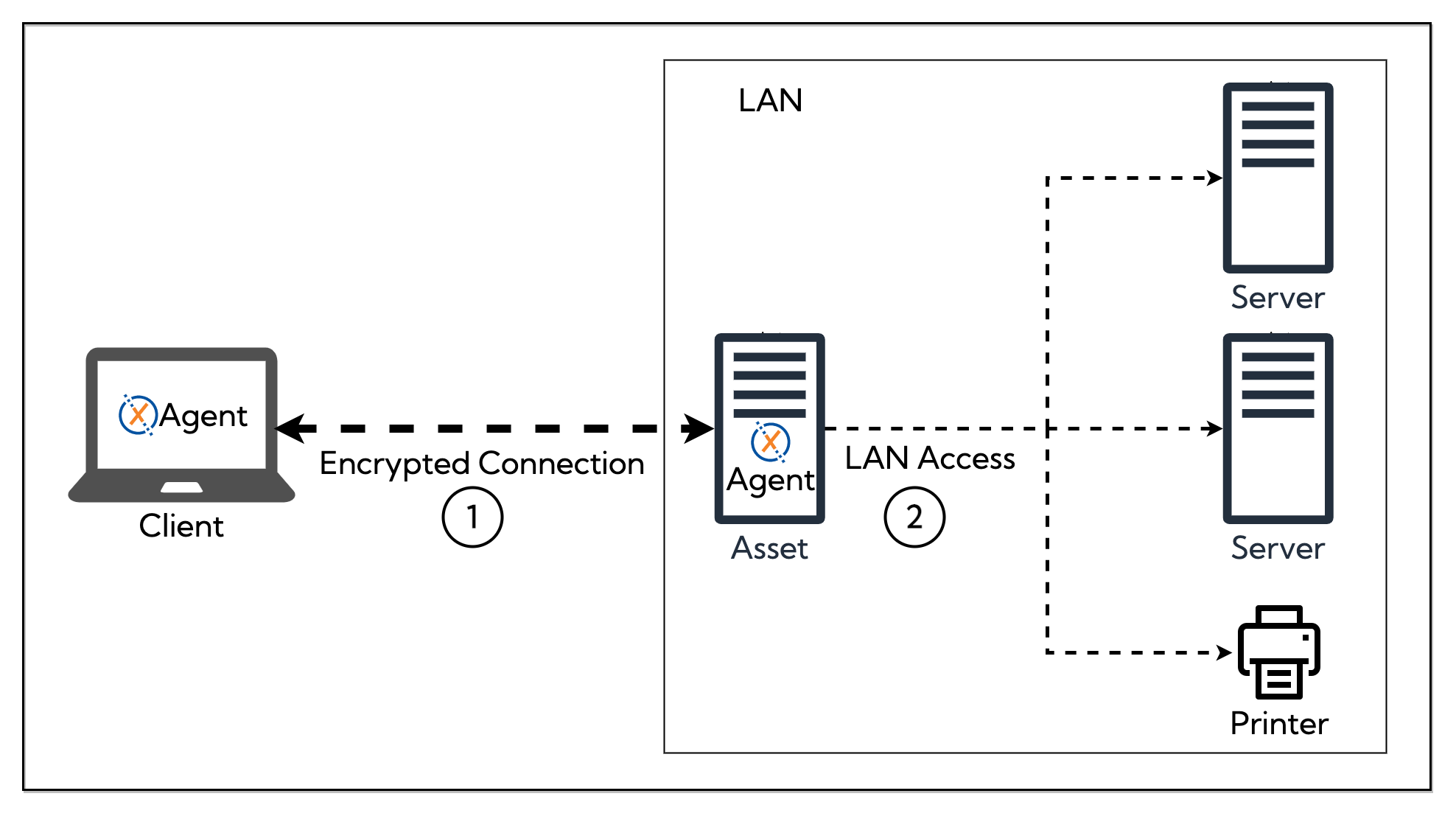
If the accessing client or asset already has an IP in the configured network range, traffic will use its local interface instead of routing through the gateway asset.
Access to services located on a Subnet is granted based on policies.
For subnets where the gateway asset should also provide DHCP to connected devices, see Managed Subnets.
Configuration
General tab
- Enabled/Disabled — toggle to enable or disable the subnet
- Gateway Asset — the Linux or Windows asset that routes traffic for this subnet
- Name — a descriptive name for the subnet
- Description — optional description
- Network / Mask — the network range in CIDR notation (e.g.
192.168.1.0/24) - Hosts — static IP-to-DNS-name mappings for known devices on the subnet
- Tags — optional tags for organizing and filtering subnets
Services tab
- Services — select which service definitions are available on this subnet
- Policy Assignments — assign policies that grant access to this subnet
Advanced tab
- No NAT — when enabled, disables NAT for the subnet. This requires that the router for this subnet directs traffic to the tunnel network via the gateway asset.