Installation on OpenWrt (Asset Mode)
This guide provides instructions for installing the XplicitTrust agent on an OpenWrt device.
Asset mode means services (like SSH, HTTPS, remote desktop, etc) can be remotely accessed from an XplicitTrust client, or from another system running in asset mode.
Installation
- Download the
.ipkpackage for your architecture fromhttps://dl.xplicittrust.com/: - In LuCI, navigate to System → Software and click Update lists.
- Click Upload Package, upload the downloaded
.ipkfile and install it.
To install the XplicitTrust agent via the command line, run:
ARCH="$(case "$(uname -m)" in x86_64) echo x86_64 ;; aarch64) echo aarch64_generic ;; armv7l|armv7) echo arm_cortex-a7 ;; mipsel|mips) echo mipsel_24kc ;; *) echo "unsupported" >&2; exit 1 ;; esac)"
wget https://dl.xplicittrust.com/xtna-agent_${ARCH}.ipk
opkg update
opkg install ./xtna-agent_${ARCH}.ipk
Configuration
See the xtna-util reference for a complete list of available flags.
Navigate to Services → XplicitTrust in the LuCI web interface to register the device.
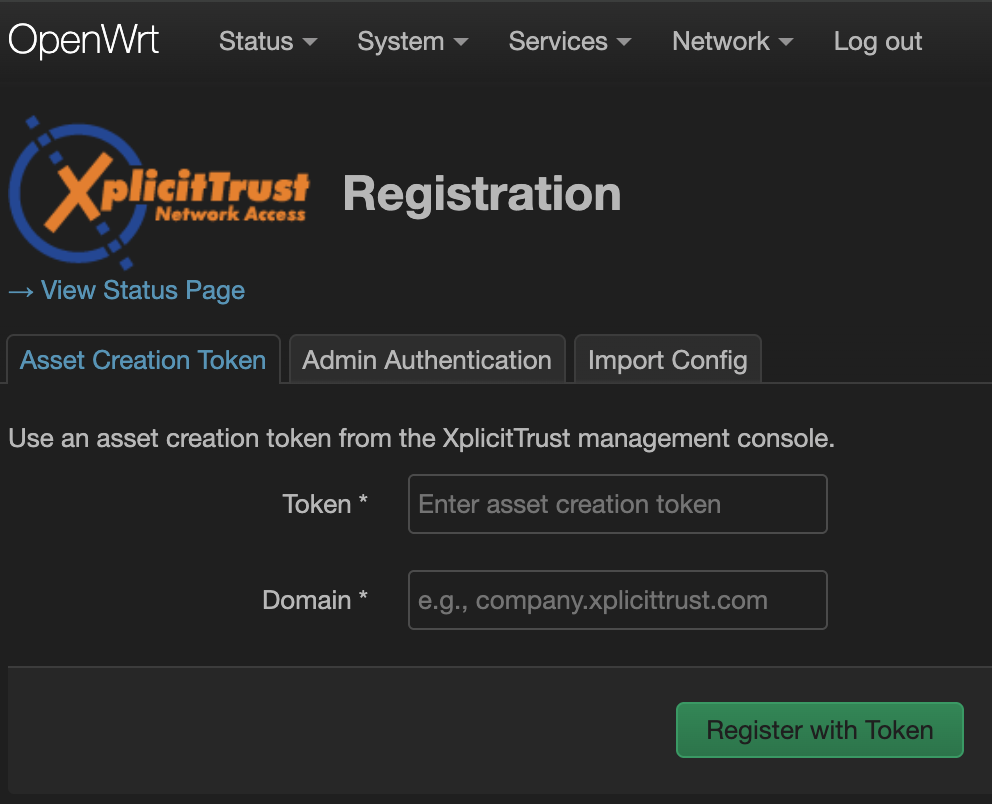
- To register the device as an asset:
xtna-util -user <XplicitTrust admin email address> - Open the URL that xtna-util returns in a browser to authenticate.
- Go to the admin console settings page
- Create a new "Asset Creation Token", configure it, download and store it in a secure place.
- Use the token to register assets:
xtna-util -domain <tenant domain> -token <token>
- Go to the admin console assets page
- Click "Create new" button, fill out the form, and click "Apply".
- Click the "Download Config" icon at the top of the form box.
- Copy the configuration to the device and run:
xtna-util -import xtna-*.xtconfig
Status Monitoring
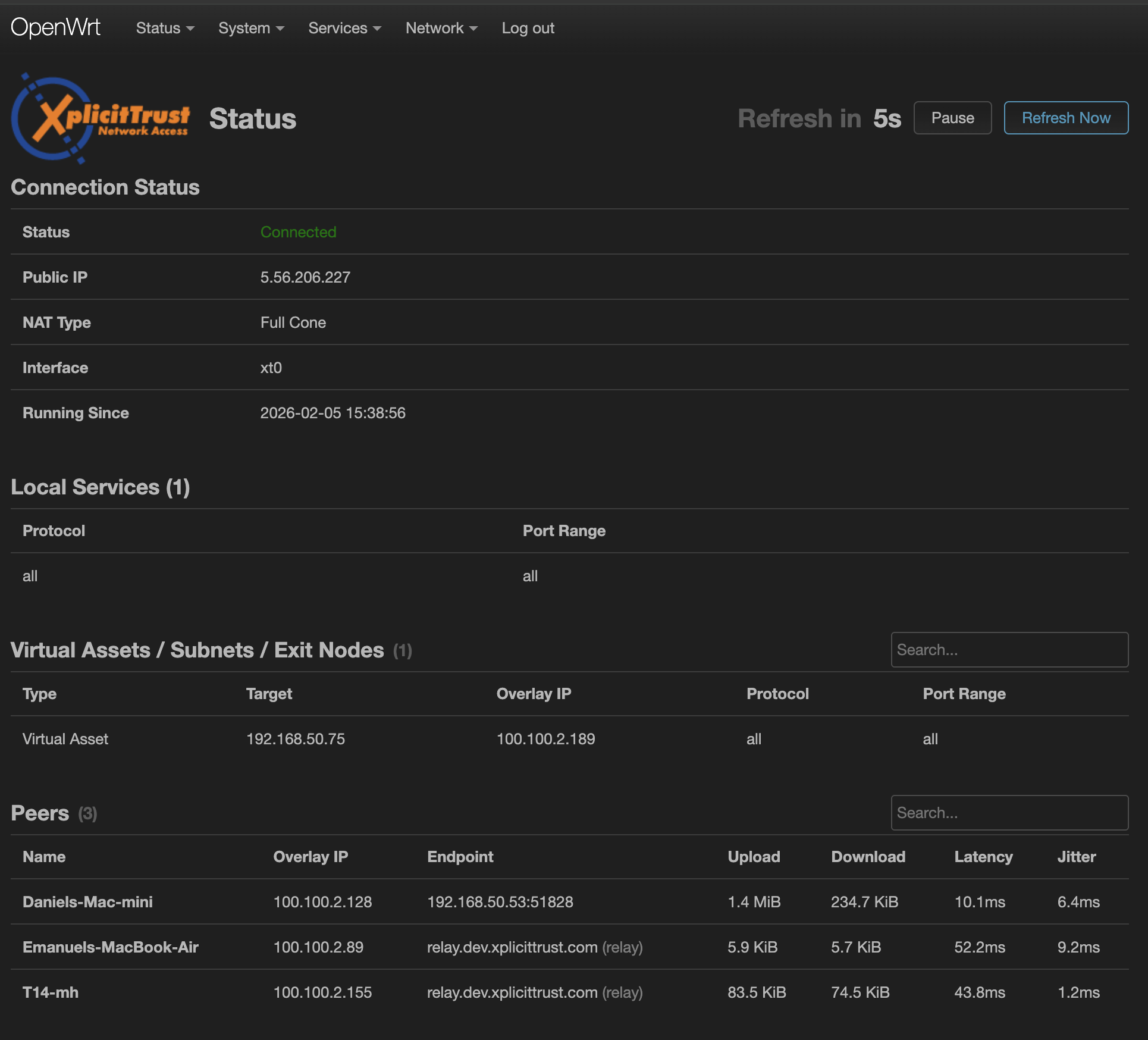
Navigate to Status → XplicitTrust in the LuCI web interface to see the connection status of the agent.
Troubleshooting
If the registration fails or the agent is not able to get Online, check that outgoing HTTPS connections (TCP port 443) are allowed. For the best experience, allow outgoing connections on UDP port range 51820 - 60000.
Consult the FAQ to learn more about troubleshooting firewalls.